DEDAL Studio
The drone’s software workshop. Every flight logged to the SD card becomes a session that can be replayed, measured, analysed and turned into a video annotated with its own data.
- flights logged in spring 2026
- 12
- of logged flight, roughly
- 1h
- measurements a second
- 500
- data points
- 2.5M
Sessions
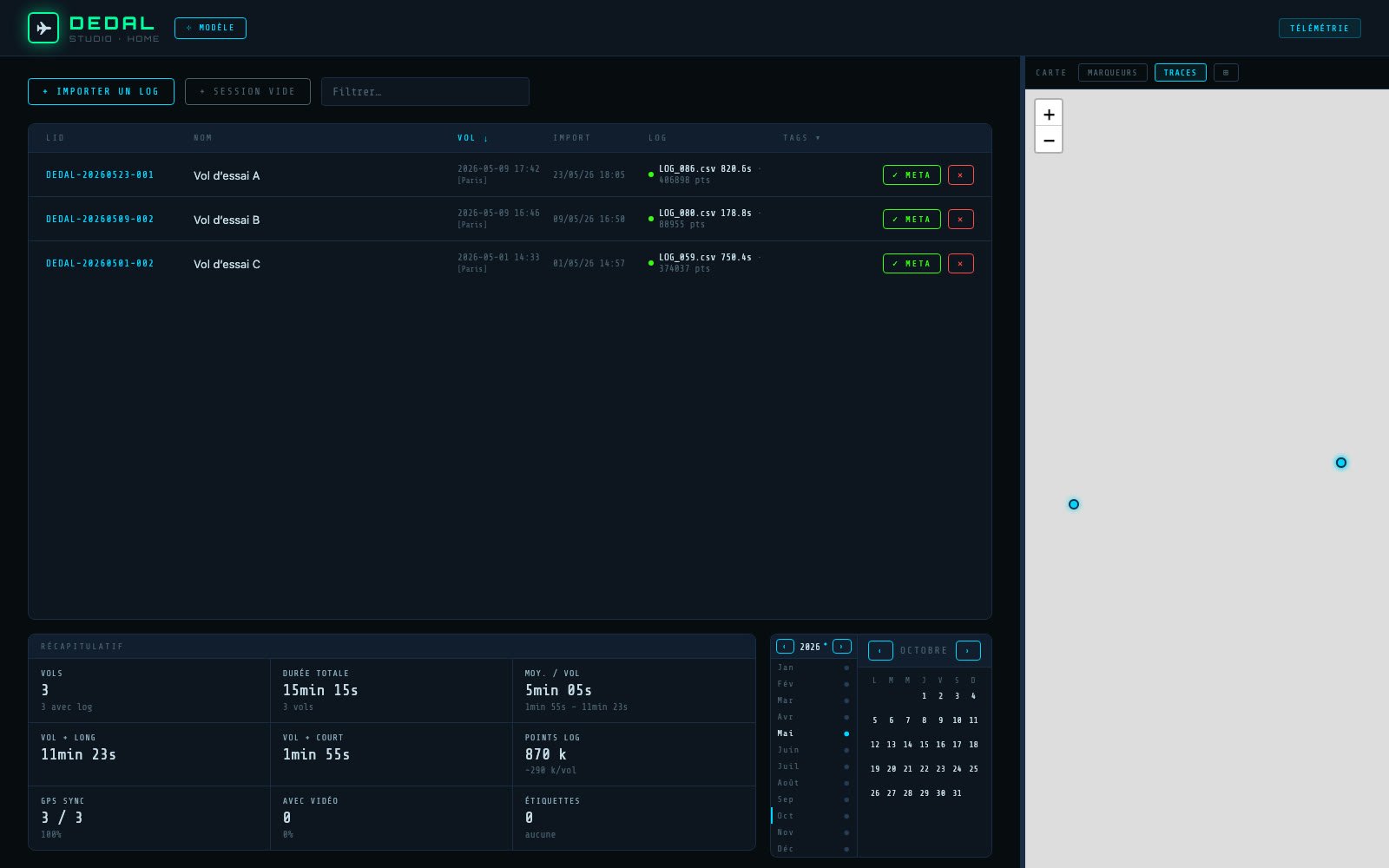
After each day of testing, the SD card logs are imported into DEDAL Studio. Each flight becomes a session with a dated ID, a copy of the original log, and the exact date and time of the flight, recovered from the GPS.
The home screen lists the sessions, sorts them in a calendar and sums them up: number of flights, total flight time, longest and shortest flight, number of logged points. A map places each flight.
On every screenshot on this page, the map is hidden and the GPS positions are shifted.
Replaying a flight
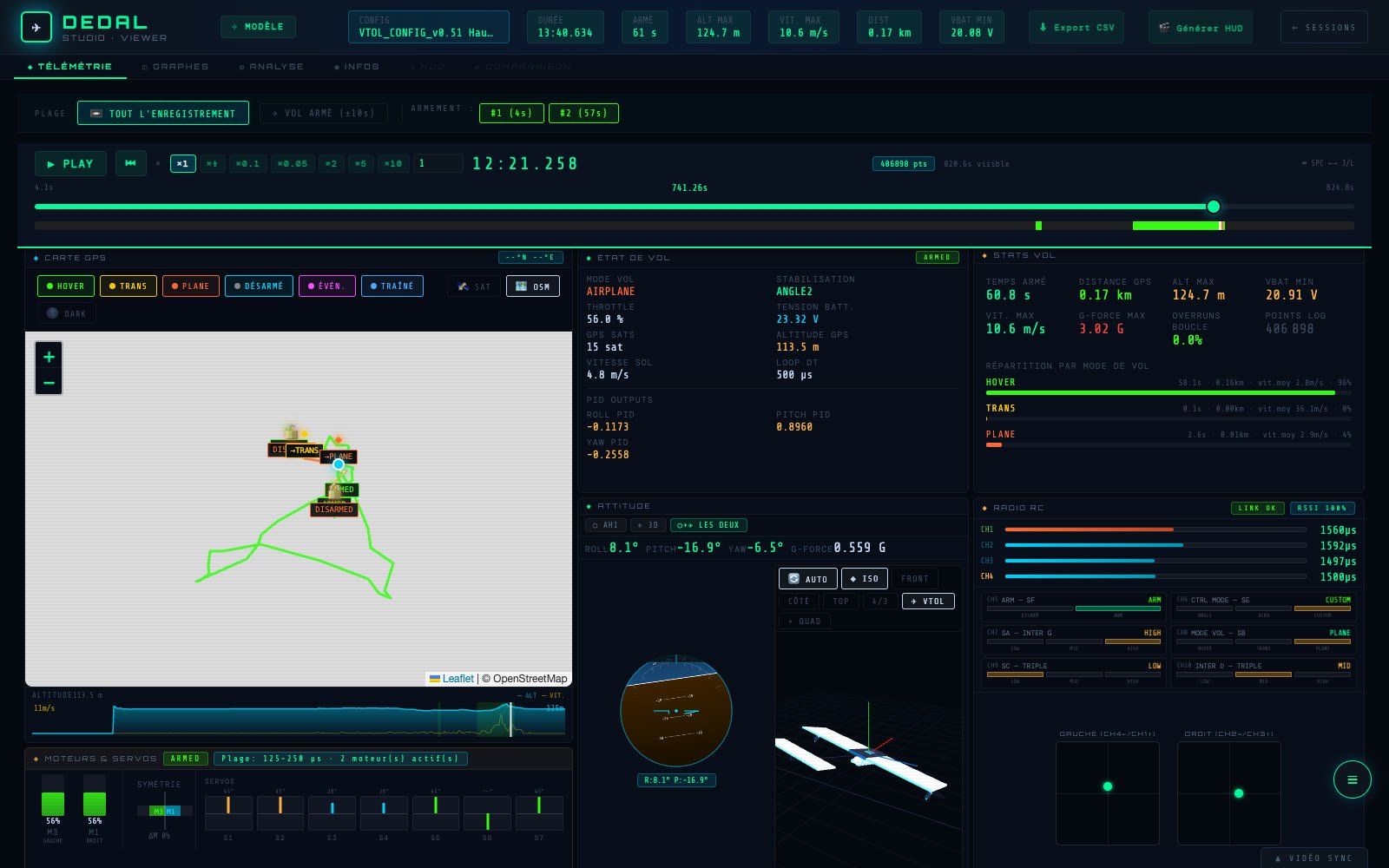
The flight replays like a video, in slow motion or sped up. Everything is synced to the same cursor: the GPS track, coloured by flight mode (hover, transition, airplane), the artificial horizon and the drone’s 3D model, the radio channels, and the command sent to each motor and servo.
Alongside, the flight’s numbers: armed time, maximum altitude and speed, load factor, minimum battery voltage, and the time spent in each mode.
In the screenshot, a few seconds after the first transition: the drone has switched to airplane mode, both motors at 60 %.
Graphs
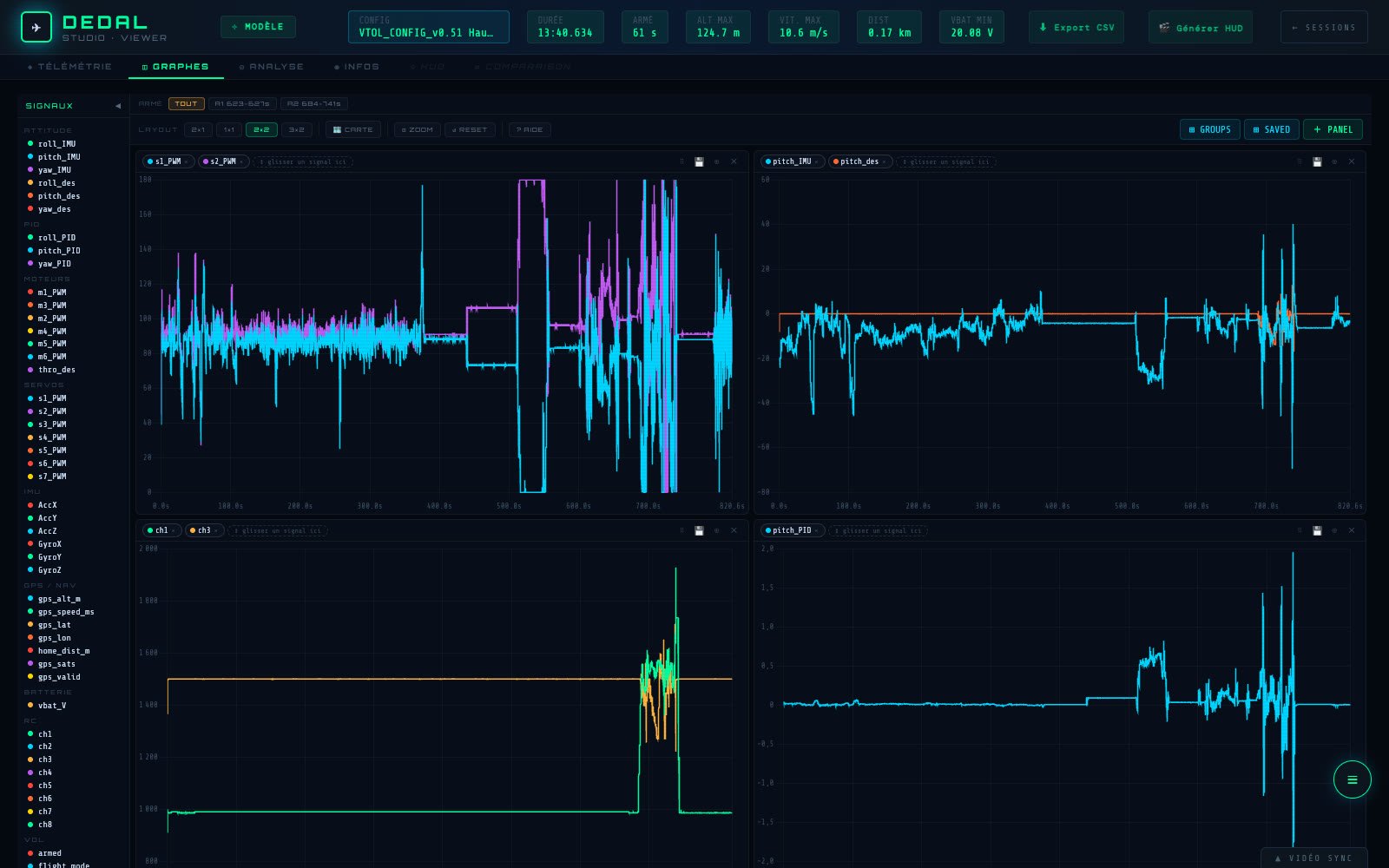
Dozens of logged signals: measured attitude and setpoints, controller outputs, motors, servos, IMU, GPS, battery, radio channels. Drag them into panels to compare them, zoom in on a single second of flight, change each curve’s colour and style.
A panel layout can be saved to bring back the same analysis on the next flight. Here, the one for pitch tuning: the two motor tilt servos, the drone’s attitude against its setpoint, the radio sticks and the controller’s response.
Analysis
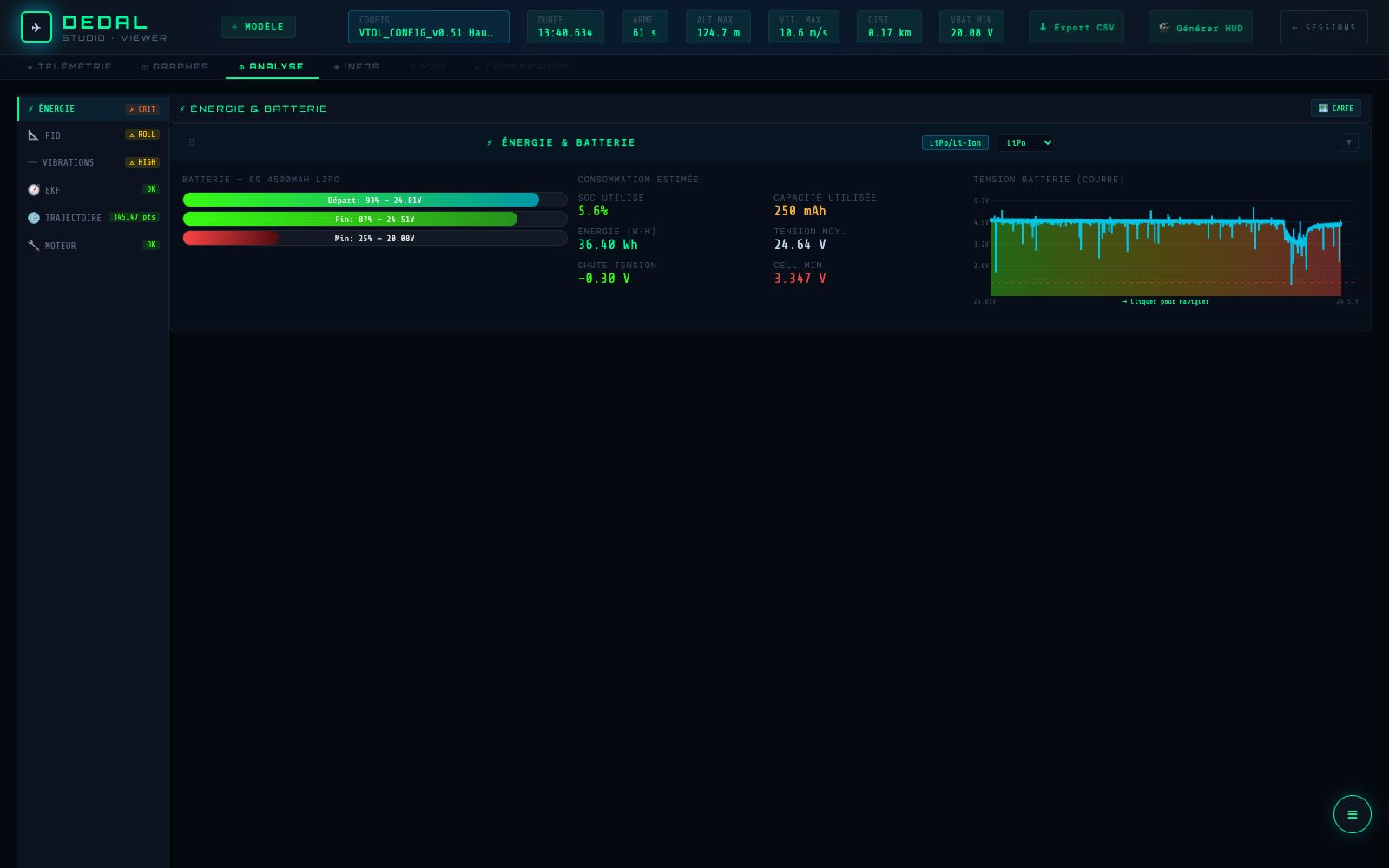
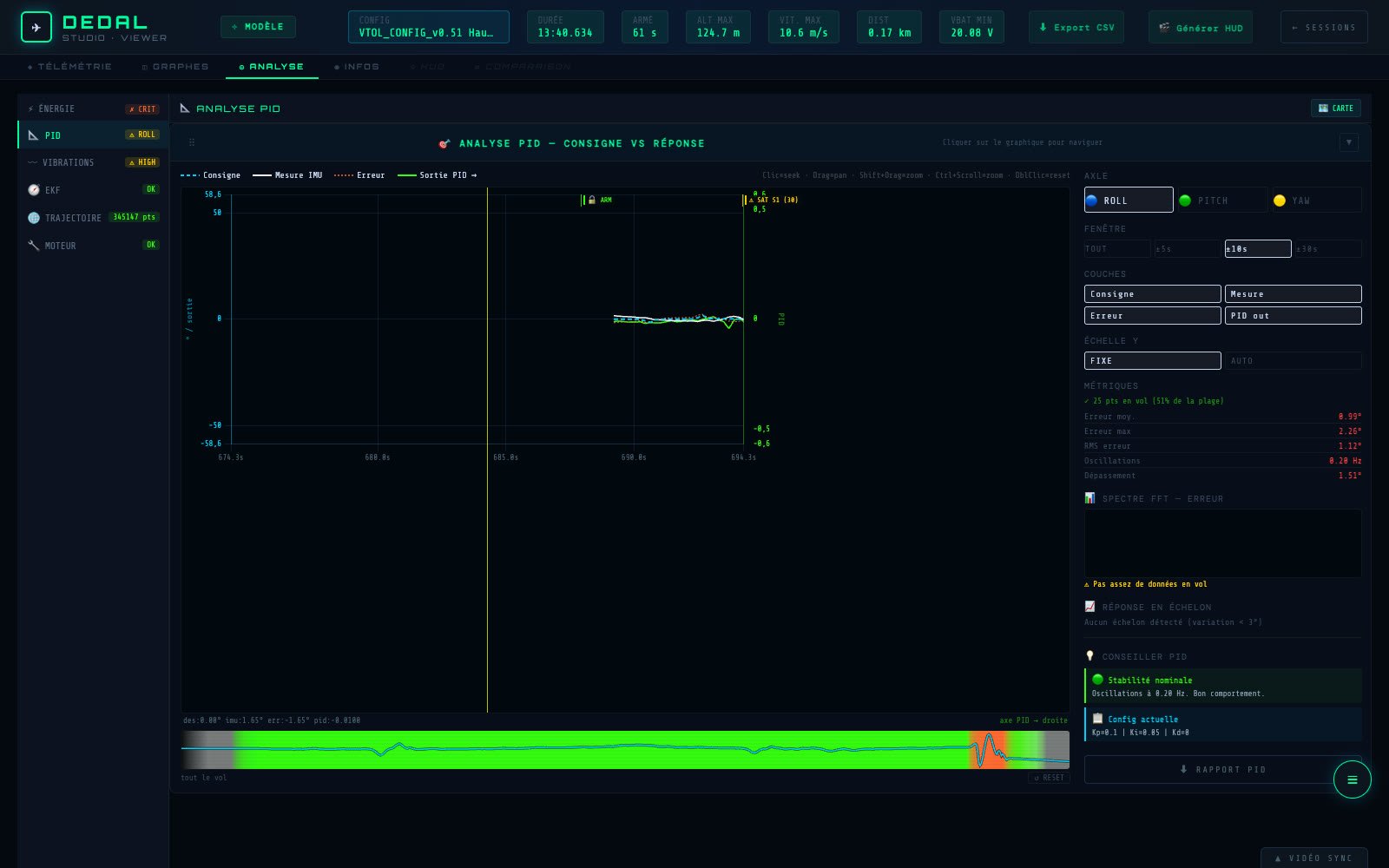
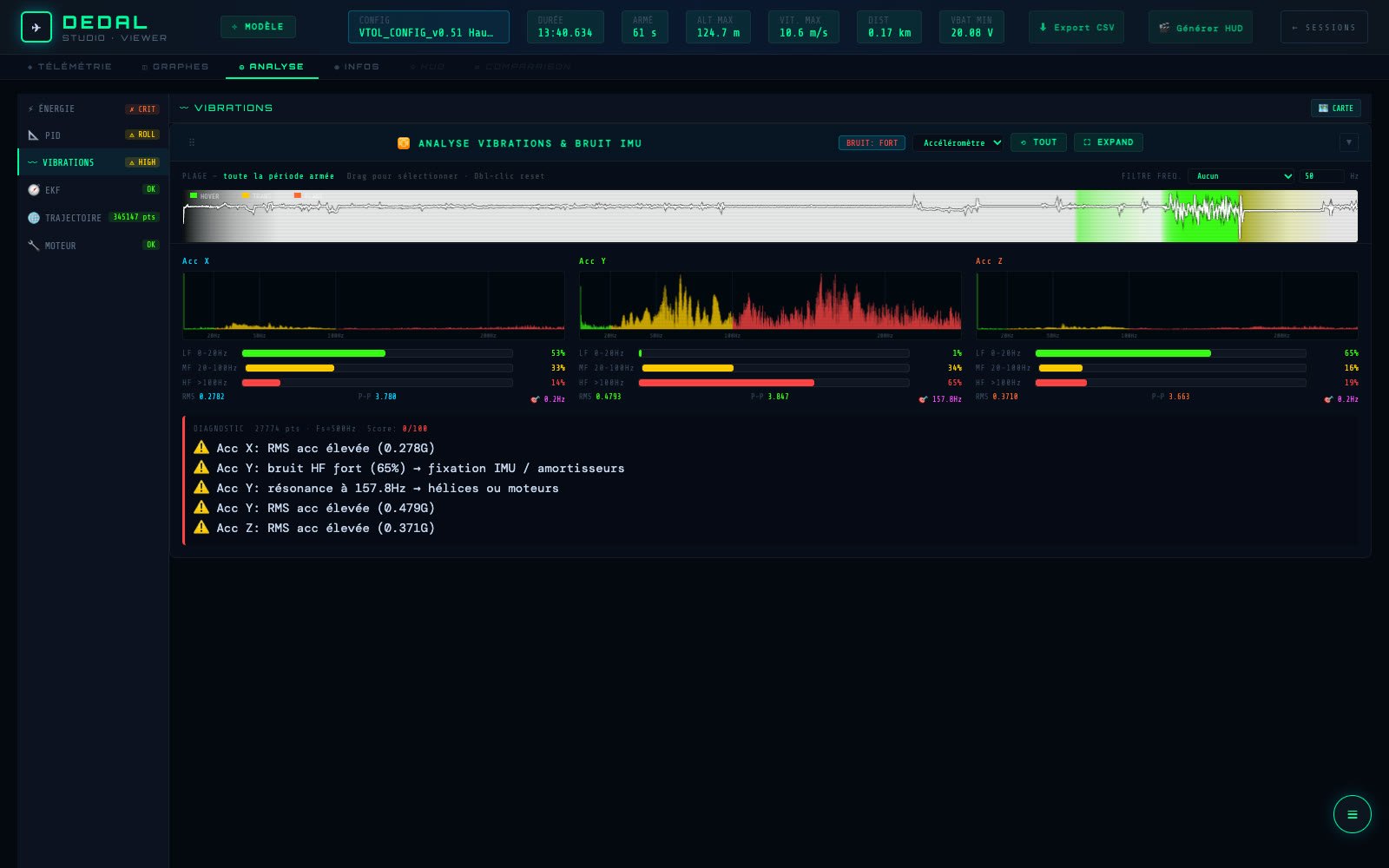
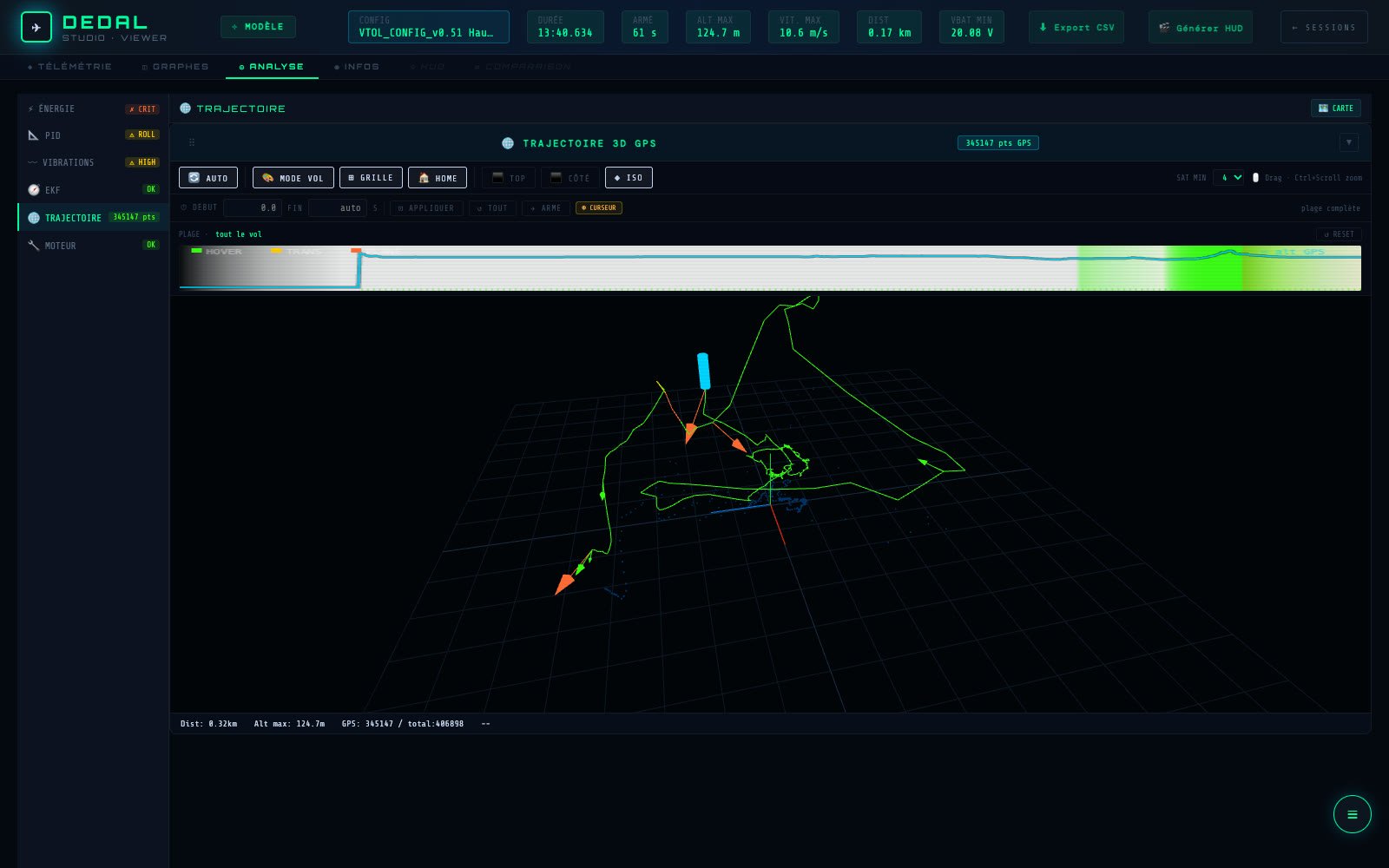
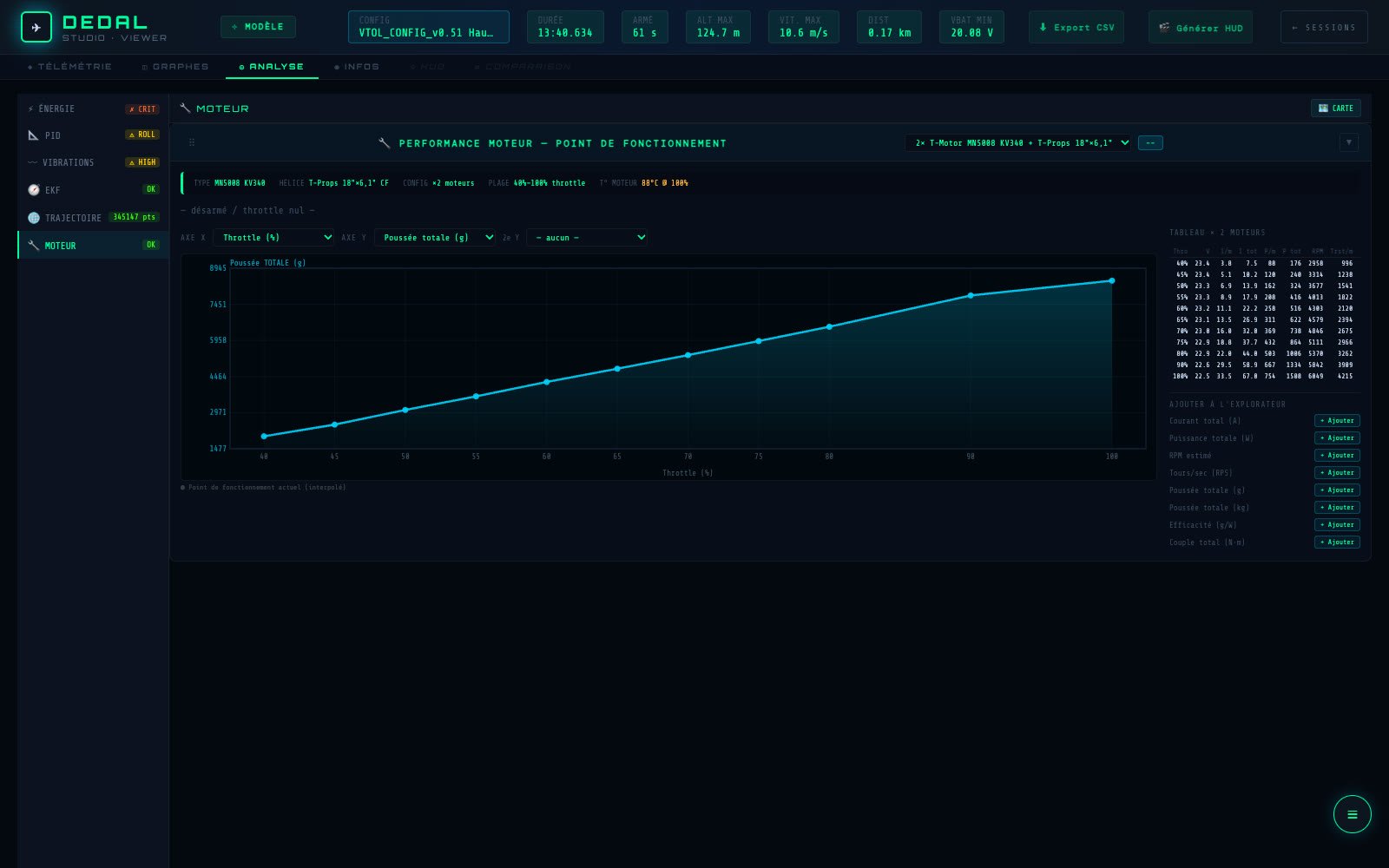
One tab sums up each flight, topic by topic, with diagnostics that flag anything out of the ordinary.
Videos annotated with their data
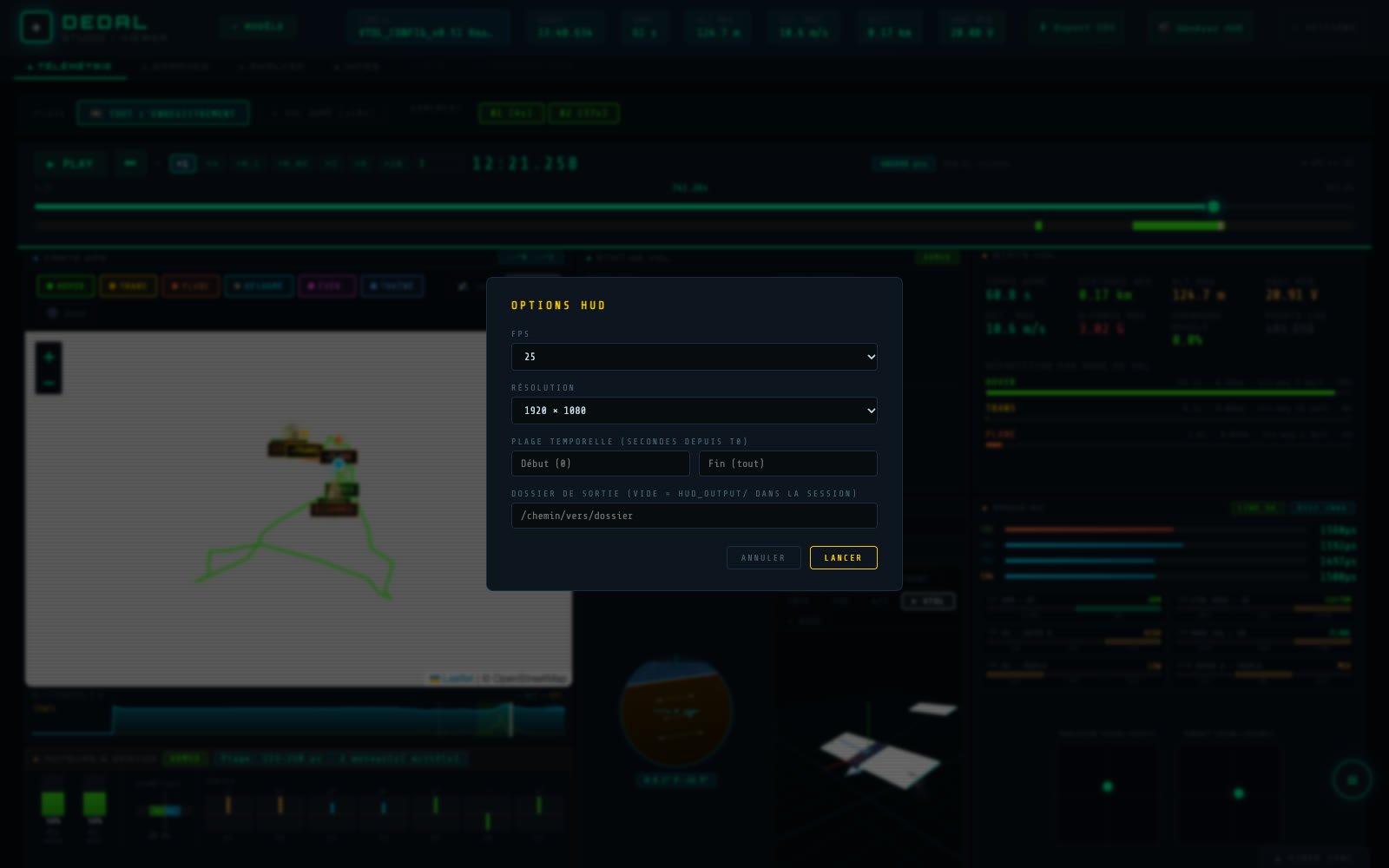
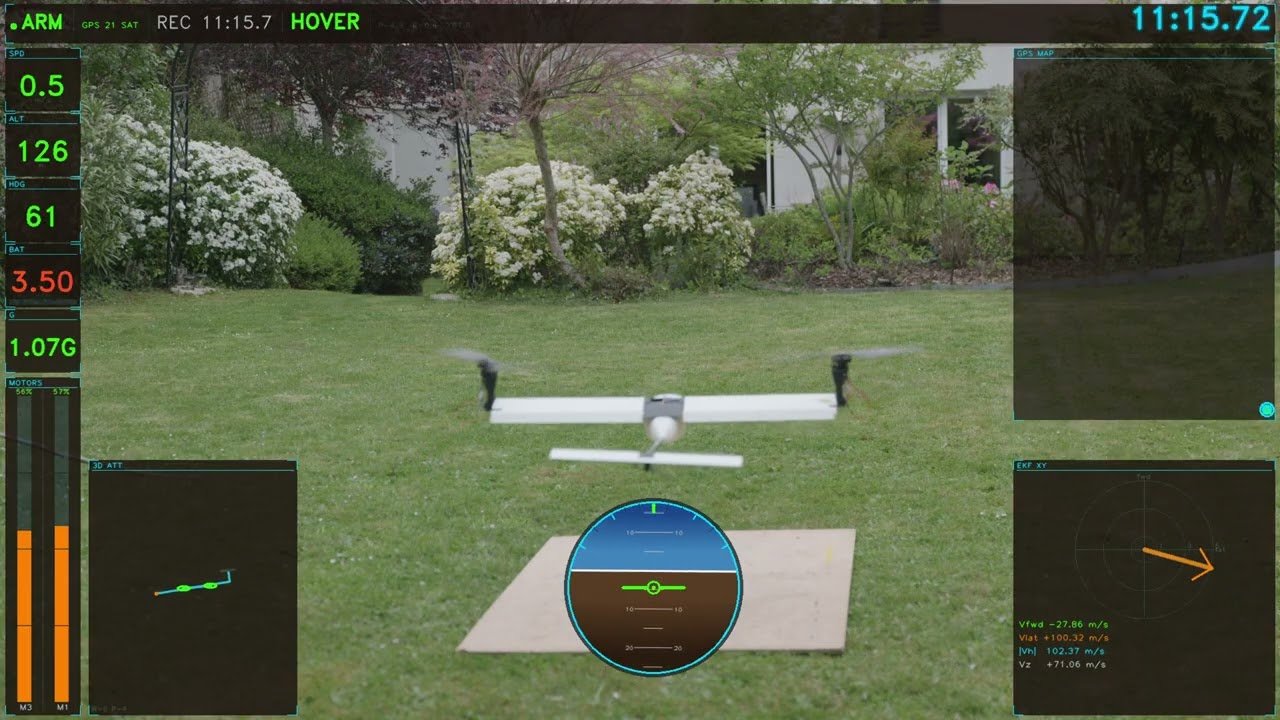
DEDAL Studio draws a telemetry overlay frame by frame: flight mode, altitude, speed, battery, horizon, trajectory. It comes out as transparent images, to lay over the flight footage in a video editor.
You pick the frame rate, the resolution and the part of the flight. The video and the log are lined up with two cursors.
Example: fifteen minutes of hovering in light rain.
Live
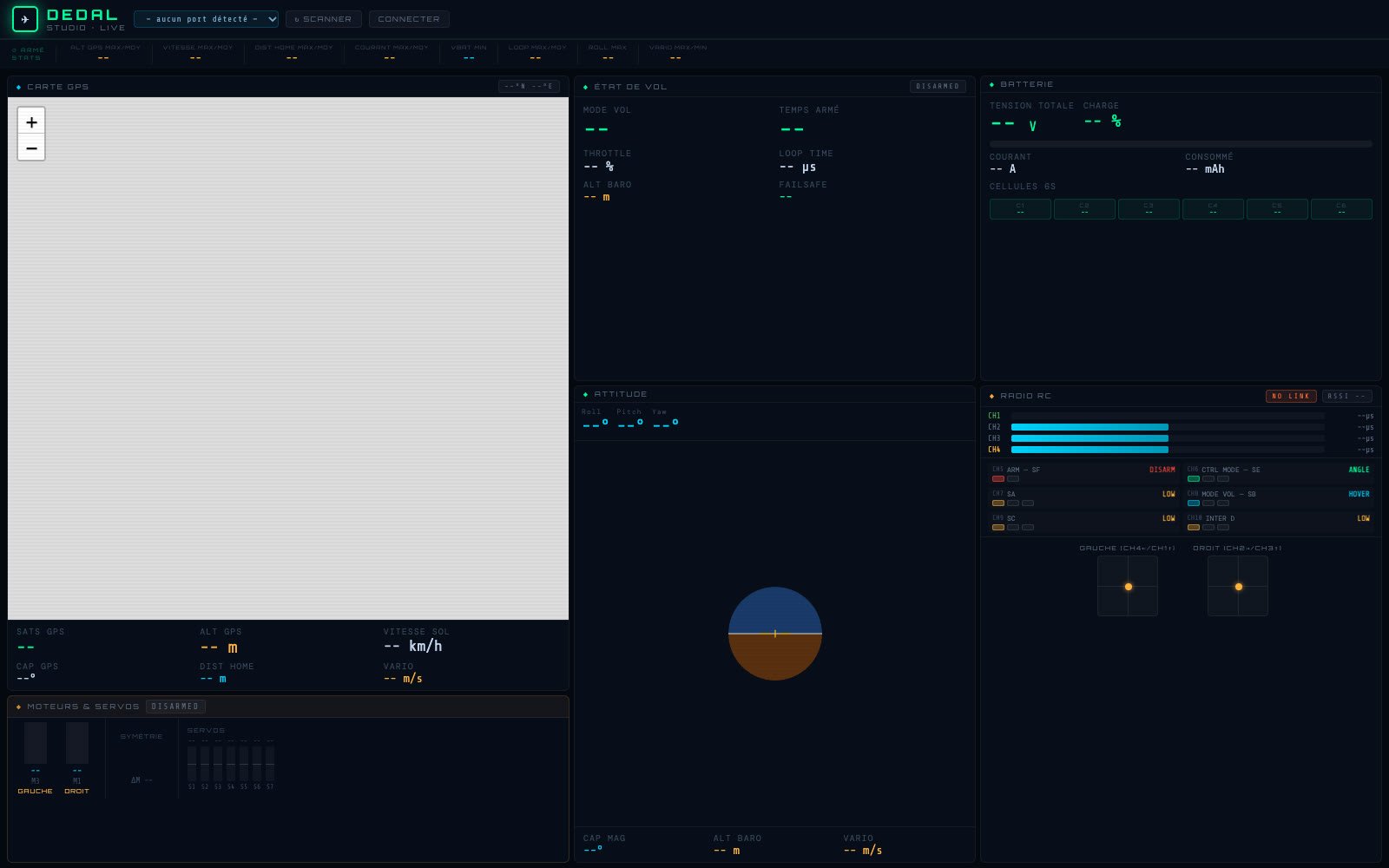
During tests, the radio plugged in over USB passes the drone’s telemetry on to DEDAL Studio: attitude, motors and servos, battery, GPS, radio channels and link quality, live.
How the link works is explained on The drone page. In the screenshot, the screen is waiting for the radio.
Under the hood
DEDAL Studio is a local app: a small Python server (FastAPI) and a native window (PyWebView) showing the interface, written in HTML and JavaScript. The flight computations happen in the interface; the video overlay is generated in Python, with ffmpeg.
It grew test by test alongside the drone: every problem met in flight became a new tool to understand it. It was coded entirely with AI: see AI in my projects.